To search
Softonic Rating:
Very good:8/10
License:
Free
Added:
March 7, 2008
Updated:
September 2, 2008
Publisher:
Website
File size:
23.1 MB
Downloads:
858
Cyril Roger

“Modify the appearance of Leopard”

by Cyril Roger

Customization applications have always been a big hit on Mac, and with the arrival of Leopard a whole range of new Dock and folder appearance applications have popped up. SuperDocker lets you play around with how key functions of Leopard are displayed.

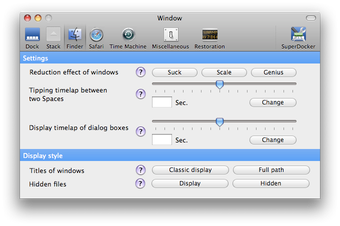
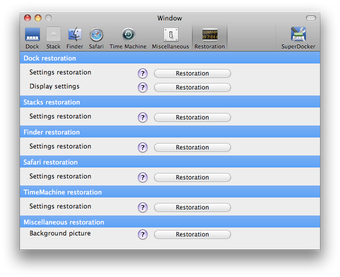
Before taking a look at SuperDocker, I worried that the application was going to be another of the countless Dock modifiers that you find for Leopard. Luckily, SuperDocker not only sticks to that section of your Mac but also lets you modify elements in your Finder, Safari browser, Time Machine and others like iCal, iChat or the capture format. Most of the functions that you can set in SuperDocker are already present in your Mac, but hidden, so having the app is great help to access them quickly. Each setting is easy to work with, and you often only have to choose between whether to display or hide elements. For others, a slider bar lets you easily adjust to the style you like best.

In all, even though you shouldn't expect anything highly advanced, SuperDocker will give you quick access to hidden display options for for your Leopard.

Languages:

English

OS requirements for SuperDocker:

  • OS: Mac OS X

Minimum requirements:

  • Mac OS X 10.5 or later
Pros
  • Quick access to hidden options
Cons
  • A little basic
Did you like this review?
13 of 24 users liked it (54%)

SuperDocker Softonic Rating: 8Featured program

Softonic gives special recognition to software of exceptionally high quality. More information

From the publisher of SuperDocker

SuperDocker allows to customize parts of your Mac OS X Leopard. Using SuperDocker, you will be able to :

About Dock

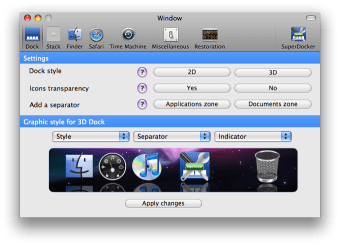
Display a 2D/3D Dock

Use transparency on hidden applications’ icons

Add separation in the Dock

Modify the display of the Docks

About Stacks

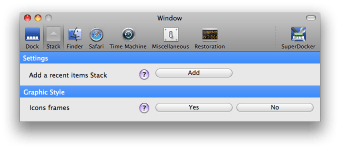
Add stacks in recent elements

Display a border cadre around applications

About Finder

Modify the effect of window minimisation

Modify the switching time between 2 spaces under Space

Modify the drawing time of dialog boxes

Display the complete path in the title bar

Display the hidden files

About Safari

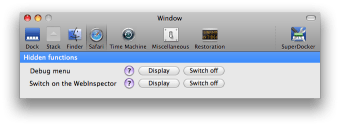
Display the Debug menu

Display WebInspector

About Time Machine

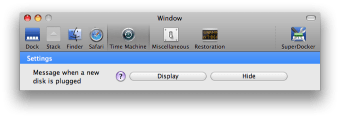
Choose to display or not a message after each new disk detection

Others

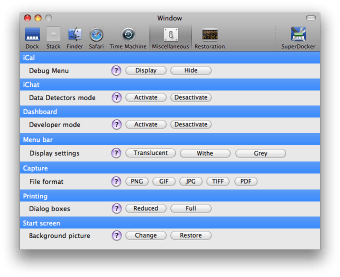
Display the iCal debug menu

Activate the Data Detectors mod for iChat

Activate the Dashboard’s Developper mode

Modify the display of the menubar

Modify the capture format

Modify the print dialog boxes’ format

Modify the Mac OS X bootsplash

Previous versions of SuperDocker

SuperDocker options

SuperDocker Options

Reviews for SuperDocker in other languages

Softonic Rating:Very good
5/10

User Rating

2 ratings
Usability
  • Currently 4/10.

Stability
  • Currently 5/10.
Installation
  • Currently 5/10.
Functionality
  • Currently 5/10.
Appearance
  • Currently 6/10.

Download stats

Related

Related searches
View all

Are you the developer of SuperDocker?

If your program has received a Softonic rating, feel free to use the following award badge on your site or as part of any other promotional feature you may be putting together.

SuperDocker Softonic Rating

Click on the above text field to copy the necessary HTML to your clipboard and then paste it to your website. It will display your program's Softonic Rating and will link to your program page.

Any queries? Contact us if you want more info.

Close